

How to Charge Guide
We provide easy to use EV charging solutions, allowing EV drivers to charge seamlessly using their smartphones.
How to Charge Guide
EV Park specialise in providing EV charging solutions within multi-dwelling residential developments supporting residents without driveways and their visitors to access electric vehicle charging points at home where it is most convenient.
Get started
Our private EV charge point network is designed specifically for multi-residential developments across the UK, perfect for residents without driveways and their visitors. Enjoy the convenience of charging your electric vehicle at home.
Getting started is easy! Just download the free EV Park app to unlock access to your building’s charging points and benefit from exclusive resident-only tariffs.
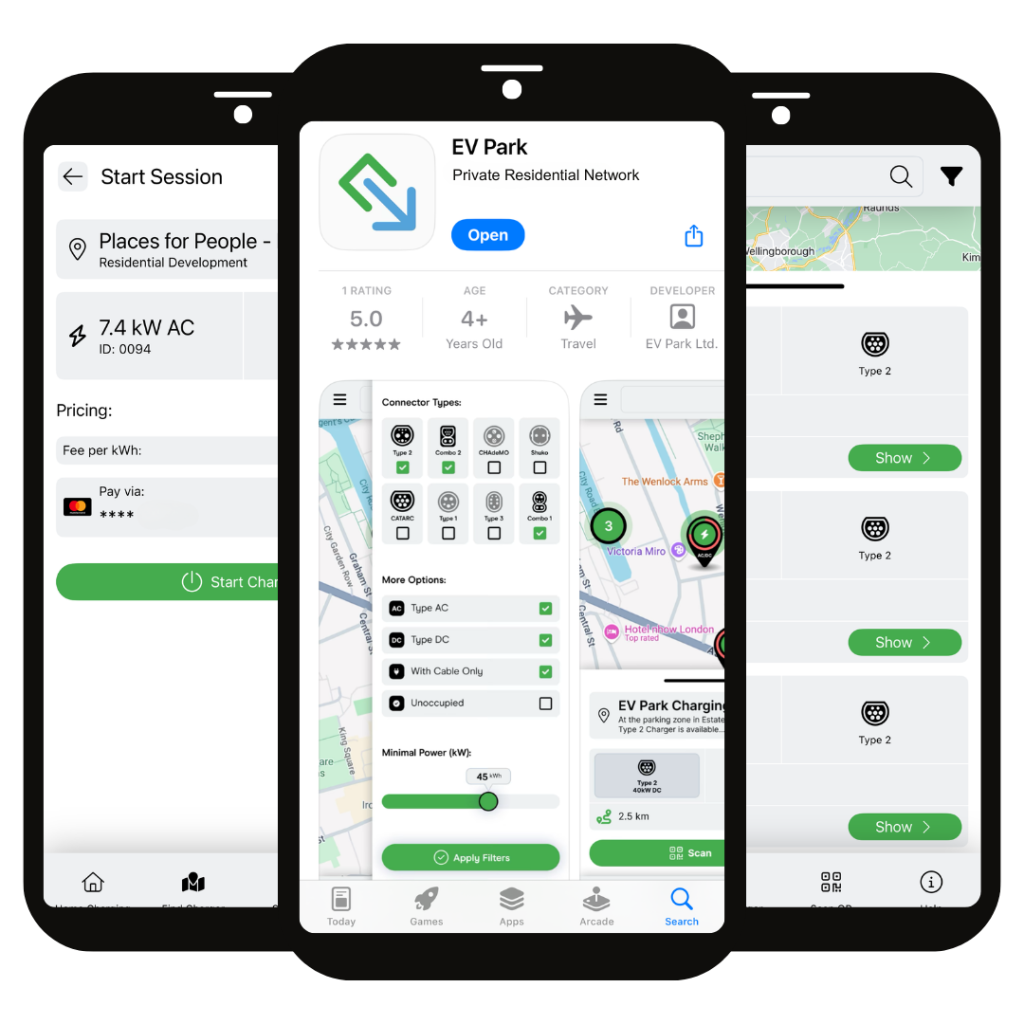
How to Charge your Electric Car
EV Park are dedicated to delivering a positive charging experience to residents within multi-dwelling residential developments. Did you know, residents can benefit from preferential charging tariffs and 5% VAT on all charging sessions by contacting the EV Park support team at info@ev-park.co.uk
Step 1: Download the App
Download the EV Park app from the App Store or Google Play.
Step 2: Join the Residents Tariff
Simply call or email the EV Park support team on 0208 176 6119 or at info@ev-park.co.uk and a member of our team will immediately add you to the team for preferential residents’ tariffs and 5% VAT.
Step 3: Add a Payment Method
You’ll be asked to add a payment method so you’re ready to start charging right away. Before each session, we place a temporary £20 hold on your account. Don’t worry, this is just a pre-authorisation and will be released once your charging session is complete.
Step 4: Select an EV Charge Point
Each EV Park charge point has a unique identifier (ID) which you will find on the front white and green asset label (i.e Charge Point: 0001). Select the charging point you are at in the app and confirm your payment method.
Step 5: Start Your Charge Session
Click “Start Charging” in your app.
Step 6: Plug in Your Vehicle
Connect the charging point to the vehicle using your charging cable and lock the vehicle once both ends are in place. Now your charging session has successfully started, you will be able to track your charging progress via the app.
Step 7: Stop Your Charge Session
Stop your charging session in the app by clicking “Stop Charge”. Unlock your vehicle and remove the charging cable from the vehicle and then the charging point. Vacate the bay for the next resident to charge!
EV Park welcome the use of our residential charging network by visitors. Please note, visitors will pay 20% VAT on all charging sessions completed. All tariffs are inclusive of the VAT applicable.
Step 1: Download the App
Scan the QR code on the EV charge point and download the EV Park app from the App Store or Google Play.
Step 2: Create an Account
Quick and easy! Complete the form and start using your account immediately.
Step 3: Scan QR Code
After downloading the EV Park app, type the charge point ID in “Find Charger”. Each charging point has a unique identifier which you will find on the front asset label (i.e Charge Point: 0001). This will open the charge point you are standing next to.
Step 4: Select Your Charger & Payment Method
Select the charging point you are at and confirm your payment method.
Step 5: Start Your Charge
Swipe right on “Charge now” in your app.
Step 6: Plug In Your Vehicle
Connect the charging point to the vehicle using your charging cable and lock the vehicle once both ends are in place. Now your charging session has successfully started, you will be able to track your charging progress via the app.
Step 7: Stop Your Charge
Stop your charging session in the app by clicking “Stop Charge.” You will receive an email confirmation of charging and receipt. Unlock your vehicle and remove the charging cable from the vehicle and then the charging point. Vacate the bay for the next visitor to charge!

Have a question about activating your charger?
We are always available to answer any of your questions by email or by phone.